Sound Kits
If you’ve been producing beats for more than a few months, chances are your sample library is a mess.
You’ve downloaded dozens of drum kits, loop packs, and MIDI files from all over the internet. Some are in your Downloads folder. Some are on your desktop. Some are buried three folders deep inside a folder called “New Folder (3).” And every time you sit down to make a beat, you spend more time hunting for the right snare than actually producing.
Sound familiar? You’re not alone. Sample organization is one of the most overlooked skills in music production — but fixing it can genuinely change how fast you work.
In this guide, we’ll walk through a simple, practical folder structure that works for trap, lo-fi hip hop, phonk, and any other genre you produce. No fancy software required.
Why Organizing Your Samples Actually Matters
Here’s the thing most producers don’t realize: a disorganized sample library doesn’t just waste time — it kills creativity.
When you’re in a creative flow and you need a specific hi-hat sound, the last thing you want is to spend 10 minutes clicking through random folders. By the time you find it, the idea in your head is gone.
A clean library means you can grab exactly what you need in seconds. It means you actually use the samples you’ve collected instead of forgetting they exist. And it means you stop downloading the same type of sounds over and over because you can’t remember what you already have.
Step 1: Gather Everything in One Place
Before you start organizing, you need to collect every sample you own into a single master location. This means:
- Check your Downloads folder for any sample packs you never unpacked
- Look at your desktop for stray folders
- Search your DAW’s default sample directory
- Check any external hard drives or USB sticks
Create one master folder and call it something simple like “Sample Library” or “Sounds.” This will be your single source of truth going forward.
If you use an external SSD (which is recommended for large libraries), put this folder at the root of that drive. Your DAW will thank you — loading samples from an SSD is significantly faster than from a standard hard drive.
Step 2: Choose Your Organization Method
There are three common ways to organize samples. Each has trade-offs, and the best one depends on how you think when you’re producing.
Method 1: By Sound Type — You sort everything by what the sound is: kicks in one folder, snares in another, hi-hats in another, melodic loops in another, and so on. This works well if you tend to search for specific sounds regardless of which pack they came from. It’s the most popular method among experienced producers.
Method 2: By Pack/Brand — You keep each sample pack intact in its own folder, organized by the company or producer who made it. This is the easiest to set up (you just drop each new pack into the folder as-is), but it can be slower to browse when you need a specific sound type.
Method 3: Hybrid — You keep the original packs organized by brand, but you also maintain a separate “Favorites” folder where you copy your go-to sounds organized by type. This gives you the best of both worlds.
We recommend Method 3 (Hybrid) for most producers. Here’s what it looks like in practice.
Step 3: Build Your Folder Structure
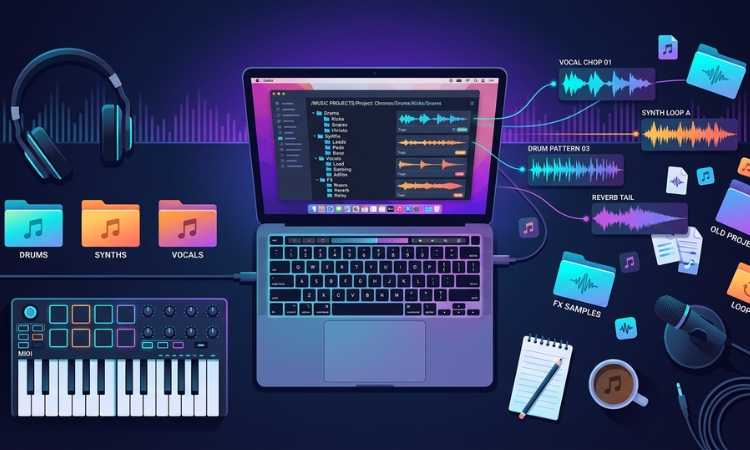
Here’s a folder structure that works well for trap, phonk, and lo-fi hip hop producers:
📁 Sample Library
├── 📁 Drum Kits (by brand/pack)
│   ├── 📁 VILARCORP - SUPREME Trap Drum Kit
│   ├── 📁 VILARCORP - COWBELL Phonk Drum Kit
│   ├── 📁 VILARCORP - MAJESTIC Lo-Fi Hip Hop Drum Kit
│   └── 📁 ...
├── 📁 Loop Kits (by brand/pack)
│   ├── 📁 VILARCORP - ELEMENTAL Trap Loops
│   ├── 📁 VILARCORP - CHAINS Trap Loops
│   └── 📁 ...
├── 📁 MIDI Kits
│   ├── 📁 Chord Progressions
│   ├── 📁 Melodies
│   └── 📁 Drum Patterns
├── 📁 Favorites (by sound type)
│   ├── 📁 Kicks
│   ├── 📁 Snares & Claps
│   ├── 📁 Hi-Hats
│   ├── 📁 808s
│   ├── 📁 Percussion
│   ├── 📁 Cowbells
│   ├── 📁 Melodic Loops
│   ├── 📁 Drum Loops
│   ├── 📁 FX & Risers
│   └── 📁 Vocals & Chants
└── 📁 Archive (packs you've reviewed but rarely use)
A few things to notice about this structure:
The Drum Kits and Loop Kits folders preserve the original packs. This means you always have the complete pack available if you need it, and you don’t break any folder structures that came with the download.
The Favorites folder is where the magic happens. Every time you download a new pack, spend 10 minutes browsing through it. When you hear a kick, snare, or loop that makes you go “oh, that’s fire” — copy it (don’t move it) into the appropriate Favorites subfolder.
The Archive folder is for packs you’ve listened through but don’t love. They’re out of the way but not deleted, just in case you want them later.
Step 4: Name Your Favorites Clearly
When you copy a sample into your Favorites folder, rename it so you can identify it at a glance. A good naming convention includes the pack name and a short descriptor.
For example, instead of: kick_01.wav
Rename it to: SUPREME_kick_hard_punchy.wav
Or for a hi-hat: COWBELL_hihat_triplet_roll.wav
This takes a few extra seconds per file, but it saves you minutes every single session. When you’re scrolling through your Favorites > Hi-Hats folder, you’ll immediately know what each file sounds like without having to audition every single one.
Step 5: Maintain It (The 10-Minute Rule)
The biggest threat to a clean sample library is what some producers call “sample creep” — when new downloads slowly pile up without being sorted, and before you know it, you’re back to chaos.
The fix is simple: every time you download a new sample pack, spend 10 minutes sorting it before you start producing with it. Unzip it, listen through the sounds, copy your favorites to the right folders, and file the rest.
Think of it like keeping a clean studio. A little maintenance each session prevents a massive cleanup later.
Bonus Tips for Power Users
Tag your samples by key. If you use melodic loops, knowing the musical key saves a huge amount of trial-and-error. Free tools like KeyFinder can batch-analyze your loops and add the key to the filename automatically.
Use your DAW’s built-in browser. FL Studio, Ableton Live, and Logic Pro X all let you add custom folders to their sample browsers. Point your DAW’s browser directly at your Favorites folder for instant access without leaving your project.
Set up template projects. Create a DAW template with your favorite drum rack or channel rack already loaded with go-to sounds from your Favorites folder. Every new beat starts ready to go.
Don’t hoard — curate. Having 500 kick drums doesn’t make you a better producer. Having 20 kicks that you know intimately does. Quality over quantity, always. When you hear a sample you love, keep it. When you hear one that’s just okay, let it go.
Where to Find Quality Packs Worth Organizing
If you’re building your library from scratch or looking to level up, start with packs that are already well-organized and genre-specific. Packs designed for a specific style — like trap, phonk, or lo-fi hip hop — tend to be more immediately usable than generic “mega packs” with thousands of random sounds.
At VILARCORP, all of our drum kits and sample packs come pre-organized with clearly labeled folders for kicks, snares, hi-hats, 808s, percussion, and more. Whether you’re looking for a specific style like our COWBELL Phonk Drum Kit or want access to our entire catalog of 63+ packs, everything is structured so you can drag and drop straight into your DAW.
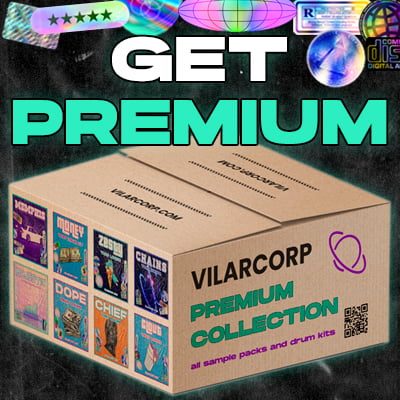
If you want to grab our full library in one shot, check out PREMIUM — it includes every pack we’ve ever released plus everything we release in the future, for a single price.
Wrapping Up
Organizing your sample library isn’t the most exciting part of making beats — but it’s one of the highest-impact things you can do for your workflow. A clean, well-structured library means less time searching, more time creating, and more beats finished.
Start small: pick one method, build your folder structure, and commit to the 10-minute sorting rule. Your future self will thank you.