Sound Kits
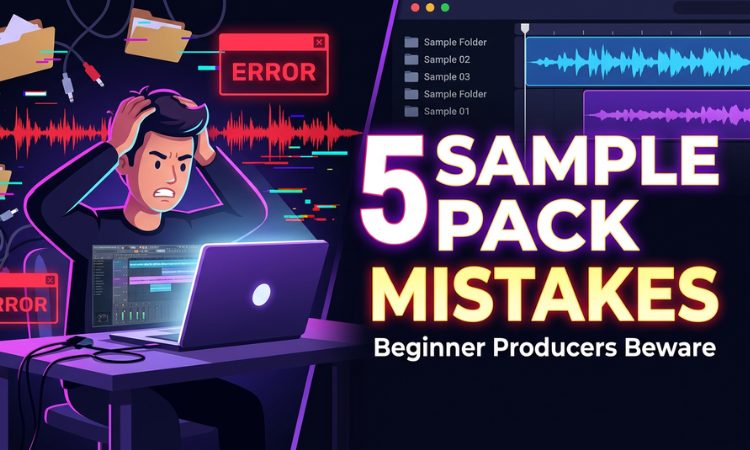
Sample packs are one of the best tools available to producers. They give you instant access to professional-quality sounds without needing expensive gear or years of sound design experience.
But there’s a difference between using sample packs and using them well.
Every producer makes the same mistakes when starting out with sample packs. These mistakes are why some beats sound polished and original while others sound flat, generic, or obviously cobbled together from loops. The good news is that every single one of these mistakes is easy to fix once you’re aware of it.
Here are the five biggest ones.
Mistake #1: Using Loops Without Any Processing
This is the most common mistake, and it’s the one that makes beats sound most “sample pack-ish.”
You find a melody loop you like, drag it into your DAW, add some drums, and call it done. The problem? That exact same loop, completely unprocessed, is being used the same way by hundreds of other producers who bought the same pack. Your beat ends up sounding identical to theirs.
The fix: Process every loop you use.
Even simple processing can dramatically change the character of a loop and make it feel like yours. Here’s a minimum processing checklist:
EQ it. Cut some lows, boost some mids, or roll off the highs. Changing the frequency balance of a loop transforms how it sits in your mix. A bright piano loop run through a low-pass filter suddenly sounds dark and moody — completely different character, same notes.
Add saturation or distortion. A touch of tape saturation adds warmth. More aggressive distortion can turn a clean loop into something gritty and raw. Experiment with different types — tube, tape, digital.
Pitch it. Pitch the loop up or down by 1-3 semitones. This changes the key and the tonal character. A loop pitched down two semitones sounds darker and heavier. Pitched up, it sounds brighter and more energetic. The melody is the same, but the feel is different.
Reverse it. Playing a melody backwards creates an entirely new musical phrase. It might not always work, but when it does, it’s magic — and nobody will recognize the original source.
Chop it. Don’t use the full loop as-is. Cut it up, rearrange the sections, remove parts, duplicate parts. Take a 4-bar loop and turn it into a 2-bar phrase by using only the best sections. Chopping is the difference between “using a loop” and “sampling.”
The goal isn’t to destroy the loop — it’s to put your fingerprint on it. Even two or three of these techniques stacked together will make the loop sound distinct from how anyone else is using it.
Mistake #2: Downloading 50 Packs and Opening None of Them
We’ve all been there. You spend an entire evening downloading free drum kits and sample packs. You feel productive — look at all these sounds you’ve collected. But then you never actually open them. They sit in your Downloads folder for months, untouched, while you keep using the same three kicks you’ve used since you started producing.
This is what we call “collecting instead of creating.” It feels like progress, but it’s actually procrastination disguised as research.
The fix: The 10-minute rule.
Every time you download a new sample pack, immediately spend 10 minutes listening through it. Not later. Not tomorrow. Right now, before you close the browser tab.
Open the pack, audition the sounds, and sort them into three mental categories: sounds you love, sounds that are okay, and sounds you’ll never use. Copy the sounds you love into a Favorites folder (see our guide on organizing your sample library for the full system). Delete or archive the rest.
This way, every pack you download gets processed immediately. Your Favorites folder becomes a curated collection of your best sounds, and you never end up with a hard drive full of unopened ZIP files.
Another version of this problem is buying more packs than you need. If you already have three trap drum kits you haven’t fully explored, you don’t need a fourth one. Spend time with what you have before acquiring more. You’ll often find that a drum kit you dismissed initially contains incredible sounds you overlooked the first time.
Mistake #3: Ignoring Key and Tempo Matching
This mistake makes your beats sound “off” in a way that’s hard to pinpoint. You stack a melody loop, a bass loop, and a chord loop together, and something sounds wrong — but you can’t figure out what it is.
Nine times out of ten, the loops are in different keys or at incompatible tempos.
Key clashing happens when you layer two melodic elements that are in different musical keys. A piano loop in C minor and a guitar loop in E major will sound dissonant and harsh together — even if they both sound great individually.
Tempo mismatch happens when you time-stretch loops to fit your project BPM and they end up sounding warped, stuttery, or unnatural. Small tempo adjustments (±5 BPM) usually sound fine, but stretching a 75 BPM loop to play at 140 BPM will sound terrible.
The fix:
Always check the key. Most well-designed sample packs label the musical key of every melodic loop in the filename. If the key isn’t labeled, use a free key detection tool (like KeyFinder or Mixed In Key’s free version) to find it. Only layer loops that are in the same key or a harmonically compatible key (like the relative major/minor).
Work at the loop’s native tempo. Instead of stretching loops to fit an arbitrary BPM, set your project tempo to match the loops you want to use. Or choose loops that are already at your desired tempo.
If you must time-stretch, keep adjustments small. ±10 BPM is usually the safe range for clean stretching. Beyond that, artifacts become noticeable. Also, use your DAW’s best-quality stretching algorithm (in FL Studio, use the “e3 generic” or “stretch” mode; in Ableton, use Complex Pro).
MIDI kits solve this problem entirely. Because MIDI files contain notes rather than audio, there’s no tempo stretching or key mismatch — you just assign them to whatever instrument and key you want. This is one of the biggest advantages of MIDI kits over audio loops. Our MIDI kits (available exclusively in PREMIUM) include hundreds of chord progressions and melodies that can be freely transposed to any key.
Mistake #4: Using Too Many Elements From the Same Pack
Here’s a subtle trap: you find a sample pack you love, and you build your entire beat using only sounds from that pack. Same kick, same snare, same hi-hat, same melody loop, same 808 — all from one source.
The problem is that sample packs are designed with internal cohesion. The sounds were created and processed together, so they share a similar character and sonic fingerprint. Using all of them in one beat can make your track sound one-dimensional — everything has the same texture, the same EQ curve, the same vibe. There’s no contrast.
The fix: Mix and match across packs.
Use the kick from one pack, the snare from another, the hi-hat from a third. Layer a melody loop from one source with drum sounds from a different source. This creates contrast and depth in your mix — different textures, different processing styles, different sonic characters all working together.
Think of it like cooking. A dish made from five ingredients from the same food group tastes flat. Combining ingredients from different groups — sweet, salty, sour, spicy — creates something complex and interesting.
This is also why having a well-organized library across multiple packs is so valuable. When your Favorites folder contains the best sounds from 10 different drum kits, you naturally pull from diverse sources every time you start a beat. Check our sample library organization guide for how to set this up.
Having access to a large, diverse catalog helps a lot here. With PREMIUM, you get 63+ packs spanning trap, phonk, lo-fi hip hop, and MIDI kits — giving you a huge palette to mix and match from.
Mistake #5: Not Adding Your Own Elements
The most overlooked mistake: relying 100% on pre-made sounds and adding nothing of your own.
There’s nothing wrong with using sample packs — that’s what they’re for. But the producers who stand out are the ones who use samples as a foundation and then add something original on top.
This doesn’t mean you need to play live instruments or be a sound design expert. “Your own elements” can be simple:
Record a simple vocal tag or ad-lib. Even a basic “yeah” or “let’s go” recorded on your phone and pitched down adds personality.
Create a simple counter-melody. Use a stock synth in your DAW and play (or draw) a basic 2-note melody that sits on top of your loop. It doesn’t need to be complex — just adding one original melodic element makes the beat feel more personal.
Design a unique sound effect. Take a random audio file — a door closing, a notification sound, anything — and process it with reverb, distortion, and pitch shifting until it becomes an unrecognizable texture. Use it as a one-shot effect or transition.
Layer and process your drum hits. Take a kick from a sample pack, layer it with a second kick, add saturation, EQ, and compression. The result is a kick that didn’t exist in any sample pack — it’s your custom kick, made from combining and processing existing elements.
Flip and rearrange loops. As mentioned in Mistake #1, chopping and rearranging a loop is a creative act. When you take a 4-bar melody, reverse the second half, pitch the third bar up, and remove the fourth bar entirely, you’ve created something new from existing material.
The 80/20 rule works well here: let sample packs handle 80% of the heavy lifting (drums, bass, core melody), and contribute 20% of your own creative additions (processing, arrangement, a counter-melody, vocal tag). That 20% is what makes your beats sound like you.
The Takeaway
Sample packs are tools, and like any tool, the result depends on how you use them. Processing your loops, organizing your library, matching keys and tempos, mixing across packs, and adding your own elements — these habits are what separate professional-sounding beats from generic ones.
None of these fixes require advanced skills or expensive gear. They just require awareness and a little extra effort in each session.
Start with the one mistake you recognize most in your own workflow and fix that first. Then work through the rest over time. Your beats will improve with each one you address.
Build a Library Worth Using
Great beats start with great sounds. Here are some starting points:
- Free Phonk Drum Kits — Try our sounds at no cost
- Best Free Lo-Fi Hip Hop Drum Kits — Free lo-fi essentials
- SUPREME Trap Drum Kit — Premium trap drum sounds
- COWBELL Phonk Drum Kit — 2,000+ phonk samples
Or get the complete VILARCORP catalog — 63+ drum kits, loop kits, and MIDI packs — with PREMIUM.
More production guides: How to Make Lo-Fi Beats Without Any Instruments | How to Load Drum Kits in FL Studio